
Introduction
Have you ever taken what looked like the perfect photo, only to discover it was blurry when you checked it later? This is one of the most common problems photographers face, whether they use a smartphone, DSLR, mirrorless camera, or compact camera. In many cases, the issue is not the camera itself but small hand movements that happen while taking the picture. Even expensive cameras cannot produce sharp images if they move during the exposure.
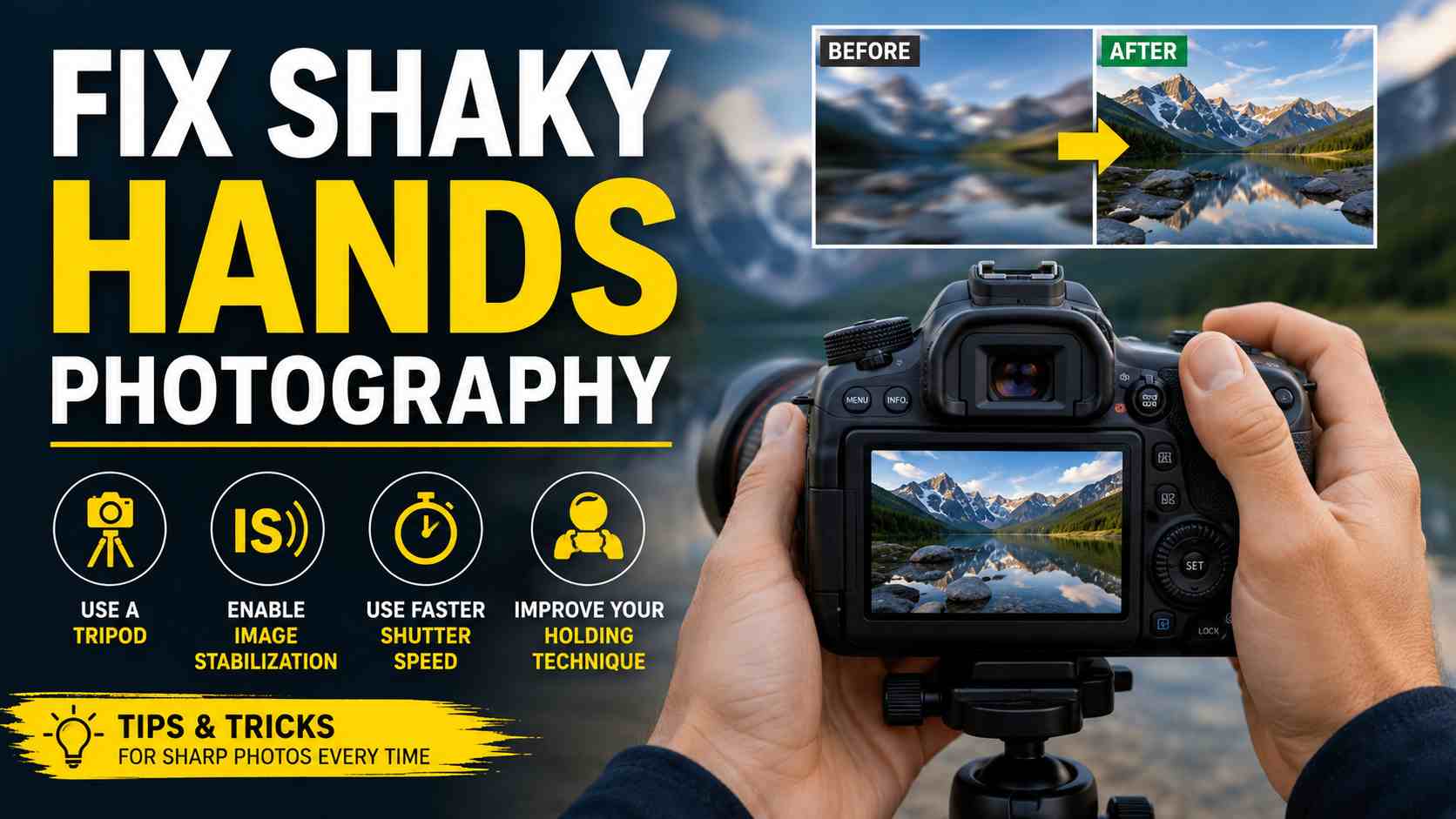
Learning how to fix shaky hands photography can make a huge difference in the quality of your photos. A few simple adjustments to your camera settings, shooting technique, and body position can dramatically improve image sharpness without buying new equipment. Professional photographers also deal with shaky hands from time to time, especially in low-light conditions or when using long lenses. The difference is that they know how to minimize camera shake before pressing the shutter.
In this guide, you’ll learn the most common causes of blurry photos, understand why camera shake happens, and discover practical techniques that help you capture clear, sharp images in almost any situation. Whether you’re a complete beginner or someone looking to improve your photography skills, these tips will help you feel more confident behind the camera.
What Is Shaky Hands Photography?
Shaky hands photography refers to photos that become blurry because the camera moves slightly while the image is being captured. This movement is known as camera shake. Even a tiny vibration can reduce image sharpness, especially when shooting in low light or using a zoom lens.
It is important to understand that camera shake is different from subject motion blur. Camera shake happens because the photographer moves the camera during the exposure, while motion blur occurs when the subject itself moves. For example, if you’re photographing a running child with a steady camera, the child may appear blurry due to movement. However, if your hands move while photographing a still flower, the entire image may look soft because of camera shake.
Everyone experiences small hand movements naturally. Your heartbeat, breathing, muscle fatigue, or even pressing the shutter button can create enough motion to affect image quality. These movements become more noticeable when using slower shutter speeds because the camera records movement for a longer period.
Professional photographers are not immune to shaky hands either. They simply reduce its effects by using better techniques, faster camera settings, image stabilization, and proper support equipment. They understand that sharp photography depends just as much on technique as it does on camera quality.
Fortunately, shaky hands photography is a problem that almost anyone can fix with practice. By improving your grip, adjusting camera settings, and learning a few simple habits, you can consistently capture crisp and detailed photographs.
Why Are My Photos Blurry?
Blurry photos can be frustrating because the reason is not always obvious. Many beginners assume their camera is faulty, but in reality, several factors can reduce image sharpness.
One of the biggest causes is using a shutter speed that is too slow. When the shutter stays open longer, even the smallest hand movement becomes visible in the final image. This often happens indoors, during sunset, or at night when there is less available light.
Poor hand-holding technique is another common reason. Holding the camera with one hand, stretching your arms away from your body, or standing in an unstable position increases camera movement. Pressing the shutter button too quickly can also create a small vibration that affects sharpness.
Incorrect focus settings may also lead to blurry images. If the camera focuses on the background instead of your subject, the main subject will appear soft even if camera shake is minimal. Taking time to select the correct focus point can improve results immediately.
Digital zoom is another overlooked issue, especially on smartphones. Unlike optical zoom, digital zoom enlarges the image electronically, making every small movement appear much larger and reducing image quality.
Low-light photography makes all of these problems worse. Since the camera receives less light, it automatically uses slower shutter speeds unless you increase ISO or open the aperture. Without proper stabilization, blurry images become much more likely.
Understanding the exact cause of blurry photos helps you choose the right solution instead of simply blaming your equipment.
Common Causes of Shaky Hands in Photography
Many people believe shaky hands are simply caused by nervousness, but several physical and environmental factors contribute to camera movement.Natural hand tremors are completely normal. Every person experiences tiny muscle movements that become more noticeable when holding a camera for several seconds. These movements are usually harmless but can affect sharpness during slower exposures.Fatigue is another major factor. After carrying heavy camera equipment or shooting for several hours, your muscles become tired and less stable. This is especially common among travel and wildlife photographers who spend long periods walking with their gear.
Cold weather also increases hand shake because muscles become stiff and circulation slows down. Wearing photography gloves can help maintain warmth without limiting finger movement.Stress, excitement, or nervousness may temporarily increase hand tremors. This often happens during weddings, sporting events, or once-in-a-lifetime travel moments when photographers feel pressure to capture the perfect shot.Heavy lenses create additional challenges because they shift the camera’s weight forward. Without proper support, your arms become tired more quickly, making camera shake more noticeable.
Lifestyle habits also play a role. Drinking excessive caffeine or energy drinks may increase hand tremors for some individuals. Certain medical conditions, such as essential tremor or Parkinson’s disease, can also affect camera stability and may require additional support like tripods or image stabilization.
Finally, poor shooting posture remains one of the most common causes of camera shake. Standing with locked knees, extending your elbows outward, or holding the camera away from your body reduces stability. Learning proper posture is one of the easiest ways to improve image sharpness without spending any money.These causes often work together, but the good news is that most of them can be managed with better technique, smarter camera settings, and regular practice.
How To Fix Shaky Hands Photography?
If you’re wondering how to fix shaky hands photography, the good news is that you don’t need expensive gear to see better results. Most blurry photos can be prevented by improving your shooting technique and adjusting a few camera settings. Small changes in the way you hold your camera, control your breathing, or choose your shutter speed can make a noticeable difference.
The first habit to develop is holding your camera correctly. Always grip the camera firmly with both hands. Your right hand should hold the camera body while your left hand supports the lens from underneath. Keep your elbows close to your body instead of letting them stick out. This creates a more stable shooting position and reduces unwanted movement.
Shutter speed is another key factor. A faster shutter speed captures the image more quickly, leaving less time for camera shake to appear. As a general rule, many photographers use a shutter speed that is at least equal to the focal length of the lens. For example, if you’re using a 100mm lens, try to shoot at 1/100 second or faster whenever possible.
When light is limited, increasing the ISO allows you to maintain a faster shutter speed. While a higher ISO can introduce some image noise, a slightly noisy photo is usually much better than a blurry one. Modern cameras also handle higher ISO values much better than older models.
Opening your aperture can also help. A wider aperture, such as f/2.8 or f/1.8, lets more light reach the camera sensor. This enables faster shutter speeds without raising the ISO too much. However, remember that wider apertures create a shallower depth of field, so focus becomes even more important.
If your camera or lens includes image stabilization, make sure it is enabled. Different manufacturers may call this feature Optical Image Stabilization (OIS), In-Body Image Stabilization (IBIS), or Vibration Reduction (VR), but they all help reduce the effects of small hand movements. Smartphone cameras also use built-in stabilization that works automatically in many situations.
Burst mode is another useful tool. Instead of taking one photo, hold the shutter button to capture several images in quick succession. Often, one or two photos in the series will be noticeably sharper than the others.
Breathing technique also matters. Before pressing the shutter, take a slow breath, exhale gently, and briefly pause your breathing as you take the shot. This reduces natural body movement and creates a steadier image.
Avoid stabbing the shutter button with your finger. Instead, press it gently and smoothly. Sudden finger movement can slightly shake the camera, especially when using slower shutter speeds.
Whenever possible, use your surroundings for support. Lean against a wall, tree, pillar, or fence to create an extra point of stability. If there is a table or railing nearby, rest your elbows on it while shooting.
For even greater stability, try kneeling or sitting down. Lowering your center of gravity naturally reduces body movement and helps you maintain better balance.
Many photographers also overlook the value of a camera strap. Pull the neck strap slightly tight while holding the camera. The added tension creates another point of support, making handheld shooting much steadier.
Finally, use your camera’s two-second self-timer whenever the subject allows. This eliminates movement caused by pressing the shutter button and is especially useful for landscape, macro, and product photography.
Mastering these simple techniques takes practice, but together they provide one of the most effective answers to how to fix shaky hands photography.
Best Camera Settings to Reduce Camera Shake
Camera settings play a major role in producing sharp images. Even perfect hand-holding technique cannot fully compensate for incorrect settings. Understanding how shutter speed, ISO, and aperture work together will help you capture clearer photos in almost every situation.
The most important setting is shutter speed. Fast-moving subjects require faster shutter speeds, but even stationary subjects benefit from speeds that reduce camera movement. Portrait photography often works well around 1/125 second or faster. Wildlife and sports photography usually require at least 1/500 second, while birds in flight may need 1/1000 second or even faster. Street photography typically benefits from speeds around 1/250 second to freeze everyday movement. Landscapes taken with a tripod can use much slower shutter speeds because the camera remains stable.
ISO should be adjusted according to available light. During bright daylight, ISO 100 or 200 usually provides the cleanest image quality. On cloudy days, ISO 400 is often enough. Indoor photography commonly requires ISO values between 800 and 1600, while night photography may require ISO 3200 or higher depending on your camera’s performance.
Aperture also influences sharpness. Wide apertures such as f/1.8 or f/2.8 allow more light into the camera, making faster shutter speeds possible. Portrait photographers often prefer these settings because they create beautiful background blur while helping reduce camera shake. Landscape photographers usually choose narrower apertures like f/8 or f/11 to keep more of the scene in focus, often using a tripod to compensate for slower shutter speeds.The following table provides a quick reference:
| Photography Type | Recommended Shutter Speed | Suggested ISO | Typical Aperture |
| Portrait | 1/125 sec or faster | 100–800 | f/1.8–f/4 |
| Street | 1/250 sec | 100–800 | f/4–f/8 |
| Sports | 1/1000 sec | 400–3200 | f/2.8–f/5.6 |
| Wildlife | 1/500–1/2000 sec | 400–3200 | f/4–f/6.3 |
| Landscape | 1/60 sec or tripod | 100 | f/8–f/11 |
| Indoor | 1/125 sec | 800–3200 | f/2–f/4 |
If your camera offers Auto ISO, consider enabling it while manually selecting your shutter speed. This gives you better control over sharpness while allowing the camera to adjust brightness automatically.
Best Equipment to Fix Shaky Hands Photography
Although good technique is the most important factor, the right equipment can make photography much easier, especially if your hands naturally shake or you frequently shoot in difficult conditions.
A tripod remains the best solution for maximum stability. It completely removes camera movement during landscapes, architecture, product photography, macro photography, and long-exposure images. The main drawback is reduced mobility, making it less practical for fast-moving subjects.
A monopod offers a good balance between stability and flexibility. Unlike a tripod, it has only one leg, making it quick to reposition. Sports, wildlife, and travel photographers often prefer monopods because they reduce arm fatigue while allowing faster movement.
Gimbal stabilizers have become increasingly popular for both cameras and smartphones. They use motorized technology to keep the camera level while you move. This makes them especially useful for video recording, walking shots, and smooth handheld photography.
Wireless camera remotes and cable releases eliminate vibration caused by touching the shutter button. These accessories are inexpensive and particularly valuable for landscape photography, astrophotography, and macro work where even tiny movements can soften an image.
Bean bags may seem simple, but they provide excellent support when shooting from a vehicle, resting a camera on a window, or photographing wildlife from uneven surfaces. They are lightweight, portable, and surprisingly effective.
For smartphone users, a small tripod with a phone adapter can dramatically improve image quality, especially during night photography or long exposures.
Remember that expensive equipment cannot replace proper technique. Even the best tripod or stabilizer works best when combined with good posture, careful camera handling, and the correct camera settings. Together, these tools and skills provide the strongest solution for photographers looking to consistently capture sharp, professional-looking images.
Smartphone Tips for Shaky Hands Photography
Smartphone cameras have become incredibly powerful, but they are still affected by hand movement. Because phones are lightweight and usually held at arm’s length, even a small shake can make your photos appear blurry. Fortunately, modern smartphones include several built-in features that help reduce camera shake if you know how to use them properly.
Start by enabling image stabilization if your phone offers it. Most newer smartphones automatically use optical image stabilization (OIS) or electronic image stabilization (EIS), but checking your camera settings ensures these features are active. Stabilization helps reduce small hand movements, especially in low-light conditions.
Always hold your phone with both hands instead of one. Keep your elbows close to your body and avoid stretching your arms outward. This simple adjustment creates a much steadier shooting position.
Night Mode can also improve sharpness, but it works best when the phone stays as still as possible. During the exposure, avoid moving your hands until the photo is fully captured. If available, place your phone against a wall or on a stable surface for even better results.
Digital zoom should be avoided whenever possible. Unlike optical zoom, digital zoom enlarges the image electronically, making every tiny movement more noticeable while reducing image quality. Instead, move closer to your subject if you can.
Using your phone’s volume button as the shutter release often creates less movement than tapping the screen. Many camera apps also allow voice commands or Bluetooth remote shutters, which further reduce vibration.
Burst mode is another helpful feature for smartphone photography. Taking several photos in quick succession increases the chance of capturing one perfectly sharp image. Afterward, simply select the clearest shot.
Finally, tap your subject to lock focus before taking the picture. Proper focus combined with steady hands produces noticeably sharper images, even when shooting without professional equipment.
Camera Settings That Help Reduce Blur
Even experienced photographers sometimes overlook camera settings that can improve image sharpness. Fortunately, many modern cameras include features specifically designed to reduce blur caused by hand movement.
Continuous autofocus is one of the most useful settings when photographing moving subjects. Instead of focusing only once, the camera continuously adjusts focus as the subject moves. This increases the chances of capturing a sharp image, especially for sports, wildlife, or children.
If your camera includes image stabilization, keep it enabled during handheld shooting. Lens-based stabilization and in-body image stabilization work by compensating for small movements, allowing you to shoot at slightly slower shutter speeds while maintaining image quality.
Shooting in RAW format provides greater flexibility during editing. While RAW files cannot completely fix blurry images, they preserve more detail, allowing you to improve sharpness, adjust exposure, and reduce noise more effectively than JPEG files.
Auto ISO is another valuable feature. Instead of manually changing ISO every time lighting changes, the camera automatically increases sensitivity when needed to maintain a faster shutter speed. This reduces the risk of camera shake without constant manual adjustments.
Exposure compensation also helps in difficult lighting. Brightening or darkening an image slightly may allow the camera to select more suitable settings for the scene while avoiding unnecessarily slow shutter speeds.
High-speed continuous shooting, often called continuous burst mode, captures multiple images rapidly with one press of the shutter button. Small differences in hand movement mean that one image is often noticeably sharper than the others.
Learning these settings allows your camera to work with you rather than against you, making it much easier to consistently capture sharp photographs.
Indoor Photography Tips
Indoor photography often presents one of the biggest challenges for beginners because there is usually much less available light than outdoors. As a result, cameras automatically slow the shutter speed, increasing the chance of blurry photos caused by shaky hands.
The easiest solution is to increase the available light. Open curtains during the day, turn on additional lights, or position your subject closer to windows whenever possible. More light allows the camera to use faster shutter speeds.
Using flash can also improve sharpness, but it should be used carefully. Direct flash sometimes creates harsh shadows or overexposed faces. If possible, bounce the flash off a ceiling or wall for softer, more natural lighting.
Raising the ISO is another effective solution. Modern cameras perform well at ISO 800, 1600, or even higher, depending on the model. Although higher ISO introduces some noise, sharp photos with slight grain usually look much better than blurry images.
A wider aperture such as f/1.8 or f/2.8 lets more light enter the camera, helping maintain faster shutter speeds. This is especially useful for portraits and indoor events.
When photographing still subjects such as products, food, or decorations, consider using a tripod. A stable camera allows you to use slower shutter speeds without introducing camera shake.
Patience also plays an important role indoors. Taking a moment to steady yourself before pressing the shutter often produces significantly sharper results than rushing the shot.
Low-Light Photography Tips
Low-light photography is where shaky hands become most noticeable. Whether you’re photographing city lights, sunsets, concerts, or indoor events, the camera requires more time to collect light, making every movement easier to see in the final image.
The first step is to stabilize your camera as much as possible. Hold it firmly with both hands, keep your elbows close to your body, and lean against a solid object whenever available. These simple habits reduce unwanted movement immediately.
Avoid extremely slow shutter speeds unless your camera is securely supported. If handheld photography is necessary, increase ISO or open the aperture to maintain a faster shutter speed.
Available light is your friend. Position subjects closer to streetlights, windows, candles, or other light sources instead of relying entirely on camera settings. Even a small increase in light can significantly improve sharpness.
Shooting in RAW format provides greater editing flexibility. You can recover shadows, adjust white balance, and reduce image noise more effectively than with JPEG files, making low-light images look cleaner.
Modern editing software also includes excellent noise reduction tools. While these programs cannot completely repair motion blur, they can improve image quality after using higher ISO settings.
Combining careful technique with smart camera settings allows you to create impressive low-light photographs without sacrificing sharpness.
How Different Camera Types Handle Camera Shake?
Not all cameras deal with shaky hands in the same way. Understanding the strengths of your camera helps you make better decisions when photographing in challenging conditions.
DSLR cameras often rely on lens-based image stabilization. Many telephoto and premium lenses include stabilization systems that reduce small hand movements. Because DSLRs are generally larger and heavier, they can actually feel more stable in your hands, provided you use proper technique.
Mirrorless cameras have become increasingly popular because many models include In-Body Image Stabilization (IBIS). Unlike lens-based systems, IBIS stabilizes the camera sensor itself, meaning even lenses without built-in stabilization benefit from reduced camera shake. Mirrorless cameras are also lighter, making them easier to carry for long periods.
Smartphones use advanced computational photography along with optical or electronic stabilization. Artificial intelligence helps combine multiple exposures, reduce blur, and improve sharpness automatically. While smartphones cannot completely replace dedicated cameras in every situation, they perform surprisingly well for everyday photography.
Compact cameras usually include built-in stabilization and lightweight designs that make them easy to handle. Although they may not offer the same image quality as larger cameras, they remain an excellent choice for travel and casual photography.
Regardless of the camera you use, proper technique is still more important than expensive equipment. A steady photographer with an entry-level camera often produces sharper images than someone using advanced gear with poor shooting habits.
Exercises to Improve Hand Stability for Photography
If your hands shake while taking photos, don’t worry. This happens to many people. The good news is that you can improve your hand stability with a few simple exercises. These exercises make your hands, wrists, and arms stronger, helping you hold your camera more steadily.
Grip-strength exercises are a great place to start. You can use a soft stress ball or a hand grip trainer. Squeeze it for a few minutes every day to build stronger hand muscles. Stronger hands make it easier to hold your camera without getting tired.
Your wrists are also important. Try slow wrist curls using a light dumbbell or even a water bottle. This strengthens the muscles that support your camera while shooting.
Forearm exercises help too, especially if you use heavy cameras or long lenses. Strong forearms reduce muscle fatigue during long photography sessions.
Finger control is another useful skill. Practice pressing your camera’s shutter button gently without moving the camera. The smoother your finger movement, the less camera shake you will create.
Breathing exercises can also improve stability. Before taking a photo, take a slow breath, breathe out gently, and then press the shutter. This simple habit reduces body movement and often results in a sharper picture.Finally, stretch your hands, wrists, shoulders, and neck before long photography sessions. Flexible muscles stay relaxed and make it easier to keep your camera steady.Like any skill, steady hands improve with regular practice. Even a few minutes of exercise each day can make a noticeable difference.
Mistakes That Cause Blurry Photos
Many blurry photos are caused by simple mistakes that photographers don’t even realize they are making. Once you know these mistakes, they become much easier to avoid.
One of the biggest mistakes is using a shutter speed that is too slow. The camera stays open longer, giving your hands more time to move. A faster shutter speed usually solves this problem.
Another common mistake is turning off image stabilization or forgetting to turn it on. If your camera or lens has this feature, use it when shooting handheld.
Some people hold the camera with only one hand, especially when using a smartphone. This makes it much harder to keep the camera still. Always use both hands whenever possible.
Poor posture also causes camera shake. If you stand with your arms stretched out, your body becomes less stable. Instead, keep your elbows close to your body and stand with your feet shoulder-width apart.
Using too much digital zoom is another mistake. Digital zoom makes every tiny movement look much bigger, so your photos are more likely to appear blurry. Move closer to your subject instead of relying on digital zoom.
Choosing the wrong focus point can also make your image look soft. Always check that the camera is focusing on your main subject before taking the photo.Finally, many people press the shutter button too hard. A quick jab can shake the camera just enough to ruin the shot. Press the button slowly and gently for better results.Avoiding these small mistakes will improve your photography much faster than buying expensive equipment.
Quick Checklist Before Taking Every Photo
Before pressing the shutter button, take a few seconds to check your camera and your position. This simple habit can help you capture sharper photos every time.
Ask yourself these questions:
| Checklist | Yes/No |
| Am I holding the camera with both hands? | ✓ |
| Are my elbows close to my body? | ✓ |
| Is my shutter speed fast enough? | ✓ |
| Is image stabilization turned on? | ✓ |
| Is my subject in focus? | ✓ |
| Is there enough light? | ✓ |
| Should I use Burst Mode? | ✓ |
| Am I pressing the shutter gently? | ✓ |
This quick check only takes a few seconds, but it can prevent many blurry photos.
Frequently Asked Questions
1. Can a heavy camera reduce hand shake?
Sometimes. A heavier camera may feel more stable because of its weight, but it can also make your arms tired after a while. If you use a heavy camera, take breaks or use a monopod for extra support.
2. Is it better to stand or sit while taking photos?
Both can work well. Sitting or kneeling usually gives you more stability because your body is closer to the ground. Standing is fine too if you keep a balanced posture.
3. Can weather affect camera shake?
Yes. Cold weather can make your hands stiff, while strong wind can make it harder to keep your camera steady. Wearing gloves and finding shelter can help.
4. How much practice does it take to improve?
Many people notice better results after just a few weeks of regular practice. The more you use proper techniques, the more natural they become.
5. Should beginners use Auto Mode?
Yes. Auto Mode is a good place to start. As you gain confidence, you can learn manual settings like shutter speed, ISO, and aperture to get even sharper photos.
Expert Tips for Consistently Sharp Photos
Getting sharp photos is not only about having an expensive camera. Good habits make a much bigger difference.Practice holding your camera the same way every time. Good hand position becomes natural with practice.Learn the basic camera settings, especially shutter speed, ISO, and aperture. These settings help you control image sharpness in different lighting conditions.
Whenever possible, shoot in good light. More light allows your camera to use faster shutter speeds, reducing the chance of camera shake.Always review your photos after taking them. Zoom in and check whether the image is sharp. If it is blurry, adjust your settings and try again.
If you plan to upgrade your equipment, consider buying a better lens before buying a new camera body. A high-quality lens with image stabilization often improves photo quality more than a new camera.Choose equipment that feels comfortable to hold. A camera that is too heavy may cause hand fatigue during long shoots.Most importantly, practice often. Every time you take photos, you become more confident and improve your technique. Small improvements over time lead to much sharper images.
Conclusion
Learning how to fix shaky hands photography is easier than many beginners think. Most blurry photos happen because of slow shutter speeds, poor camera handling, or low-light conditions not because the camera is bad.By holding your camera correctly, using faster shutter speeds, increasing ISO when needed, turning on image stabilization, and practicing good shooting habits, you can capture much sharper photos. Simple tools like tripods, monopods, and burst mode can also improve your results in difficult situations.Remember that great photography comes from both skill and practice. Keep experimenting with different techniques, review your photos, and learn from each shot. The more you practice, the steadier your hands will become, and the more confident you will feel behind the camera. With patience and the right approach, how to fix shaky hands photography will no longer be a challenge, and you’ll enjoy taking clear, sharp, and beautiful photos every time.